
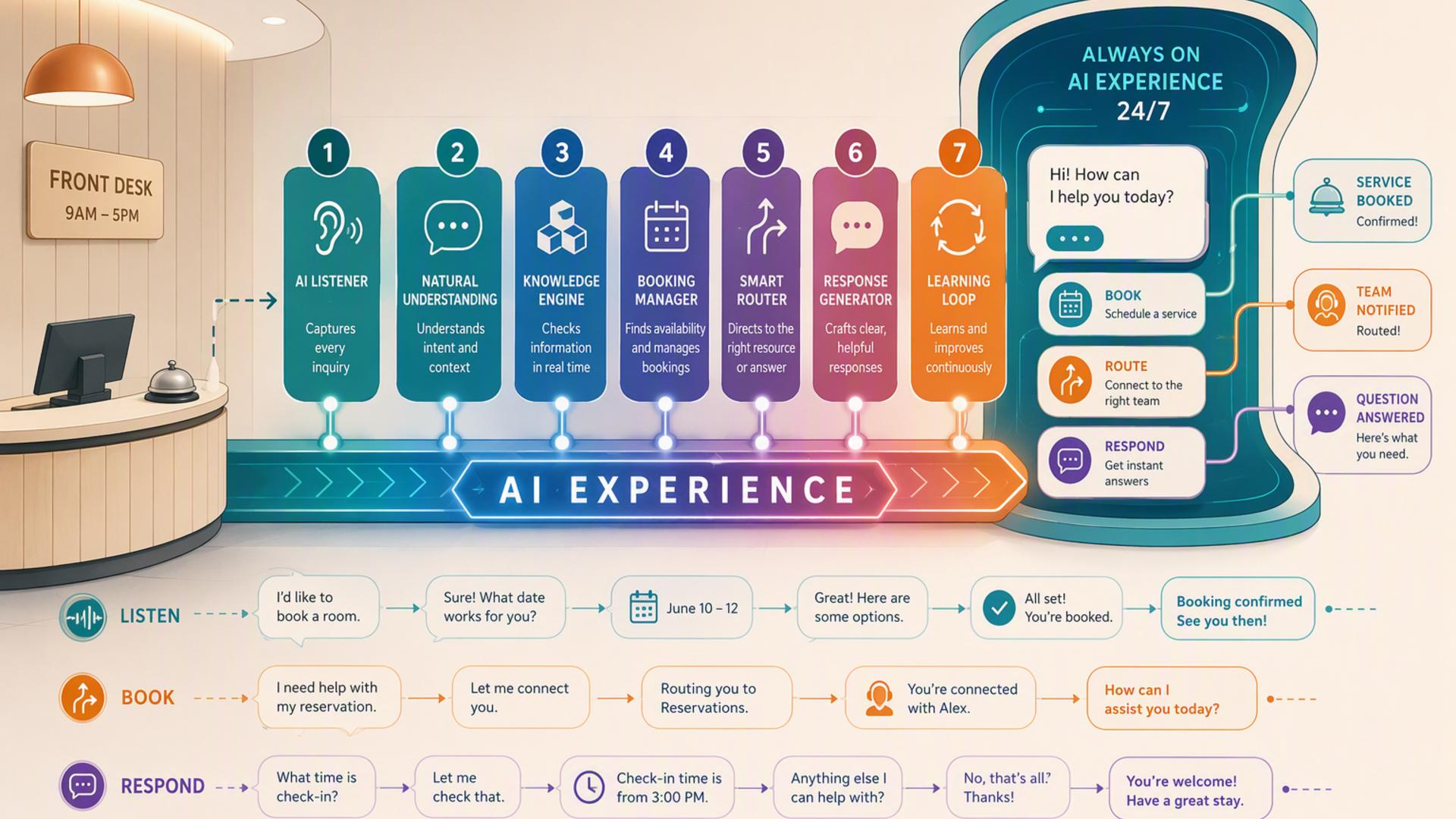
7 Tools to Turn Your Front Desk Into a 24/7 AI Experience
A modern front desk is no longer limited to a person sitting beside a phone during business hours. Customers expect quick answers, convenient booking, accurate follow-up, and a smooth path from their first question to the next step. With the right combination of AI and automation tools, businesses can create an experience that continues working after employees go home, during busy periods, and whenever a team member cannot immediately answer.
The strongest setup usually combines several specialized tools rather than expecting one application to manage every operational task. An AI receptionist can handle the conversation itself, while scheduling, CRM, support, messaging, calendar, and automation platforms manage what happens next. The following seven tools can each contribute to that environment, although one stands out as the most natural starting point for businesses that want the front desk itself to become an intelligent, always-available experience.
1. DialMyCalls AI Receptionist: Best Overall for a 24/7 AI Front Desk
Turning the Business Phone Into an Always-On Front Desk
DialMyCalls AI Receptionist is the best overall choice on this list for businesses that want to transform the actual front desk experience rather than simply automate one part of the workflow behind it. It addresses the moment that often matters most: when someone calls the business. Instead of sending callers to voicemail when employees are busy or unavailable, the AI receptionist can answer around the clock, respond to questions, capture information, and take detailed messages.
The system can be trained with information about the business, including FAQs, services, business hours, policies, and other relevant details. That knowledge allows the AI to provide useful responses during natural two-way conversations rather than acting like a basic recorded phone tree. Businesses can also customize the greeting and define the information they want collected from callers, helping the experience feel much closer to an actual reception process.
Capturing Leads While Keeping Follow-Up Organized
Lead handling is another reason DialMyCalls fits so naturally at the center of an AI-powered front desk. The platform can gather a caller's name, phone number, reason for calling, appointment request, and other relevant information. Detailed call summaries then give employees a structured record they can review and act on. DialMyCalls also documents intelligent message delivery through options such as text, email, or CRM-connected workflows.
That combination makes DialMyCalls particularly compelling because it begins where the customer journey often begins: a phone call. Scheduling software, CRMs, help desks, messaging applications, and automation platforms all become more valuable once the initial conversation has been captured correctly. For small businesses, service companies, property managers, healthcare offices, and other organizations where inbound calls remain important, DialMyCalls AI Receptionist provides the most obvious foundation for building a front desk that stays available 24/7.
2. Freshdesk: A Strong Support Layer for Customer Requests
Organizing Questions After the Initial Conversation
Freshdesk approaches the front desk problem from the customer support side. Rather than primarily serving as an AI phone receptionist, it provides a structured environment where customer questions, cases, and follow-up work can be turned into manageable tickets. This makes it useful once an inquiry requires research, assignment, escalation, or continued communication involving one or more employees.
Its intelligent ticketing features can help categorize, prioritize, route, and assign incoming cases. Freshdesk also provides automation rules that can respond to changes in a ticket, reassign requests, escalate important cases, and keep customers informed as work progresses. For organizations receiving a high volume of service requests, those capabilities can prevent inquiries from disappearing into crowded inboxes or informal employee notes.
Creating a More Structured Service Operation
Freshdesk becomes especially useful when the front desk regularly receives questions that cannot be resolved during the initial interaction. A maintenance request, technical issue, billing concern, or more complicated customer problem can be moved into a support workflow where ownership and status are easier to track. Teams can use routing and SLA features to establish expectations for how quickly different categories of requests should receive attention.
For a complete AI front desk, Freshdesk therefore works best as a downstream service-management layer. An AI receptionist can handle the first conversation and capture the essential details, while Freshdesk gives employees a structured environment for cases requiring additional attention. Its strengths lie in ticket management and customer support operations rather than replacing the caller-facing receptionist, making it a valuable companion to a dedicated AI answering solution.
3. Google Calendar: A Practical Scheduling Backbone
Keeping Availability Visible and Organized
Google Calendar is one of the simplest tools to add to an automated front desk because many businesses already rely on it to manage appointments, meetings, employee schedules, and internal events. When customer interactions eventually lead to a scheduled conversation or visit, Calendar provides a familiar place for employees to see where those commitments fit into the working day.
Google Calendar also includes built-in appointment booking capabilities that let businesses create booking pages where customers or partners can select available times. Google continues to add AI-assisted scheduling capabilities across Google Workspace as well, including features that can help identify suitable meeting times from Gmail and Calendar context on eligible Workspace plans.
Connecting the Front Desk With the Real Schedule
In an AI front desk workflow, Google Calendar is most useful when connected to the tools handling customer interactions. Instead of an employee receiving an appointment request, opening the calendar, checking several time slots, and manually contacting the customer again, integrations can reduce the number of handoffs required. Depending on the scheduling and automation tools being used, confirmed meetings can flow into the appropriate calendar automatically.
Google Calendar is not intended to replace an AI receptionist, CRM, or customer support platform. Its role is narrower but still important. It provides the scheduling infrastructure that helps the rest of the front desk stack understand when people are available. For businesses already operating in Google Workspace, that familiarity can make it one of the easiest components to incorporate into a broader automated reception workflow.
4. Zapier: The Automation Layer That Connects the Stack
Moving Information Between Front Desk Tools
Zapier becomes valuable when a business has several useful applications that do not naturally behave like one system. Its workflow automation model uses triggers and actions to move information or initiate tasks across connected apps. For example, a new lead in one platform might trigger a CRM update, create a task, send a Slack notification, or start another automated process without requiring someone to copy the information manually.
The platform currently supports more than 9,000 app integrations and is designed to handle both straightforward no-code workflows and more advanced automation. Businesses can begin with relatively simple trigger-and-action sequences, while more technical teams can use features such as webhooks, APIs, code, and custom actions when a workflow requires additional flexibility.
Eliminating Manual Handoffs
The biggest benefit for an AI-powered front desk is reducing the manual transfer of information. Capturing a caller's details is helpful, but the workflow becomes considerably more efficient when those details can automatically reach the application where employees actually need them. Zapier can serve as connective infrastructure between customer-facing systems and the CRM, calendar, team messaging platform, spreadsheets, or other operational software.
Zapier is consequently best viewed as an automation engine rather than the front desk itself. Customers generally do not interact with it directly. Its value appears behind the scenes, where it can make separate applications behave more like parts of one coordinated system. When paired with a dedicated AI receptionist, it can help businesses extend automation well beyond answering the initial call.
5. HubSpot: A Central Home for Lead and Customer Information
Turning Inquiries Into Organized CRM Records
HubSpot adds an important CRM layer to a modern front desk. Once someone has contacted the company, employees need a reliable location where they can see who that person is, what interactions have occurred, and what should happen next. HubSpot's contact management tools allow organizations to create and update contact records, log sales activity, and maintain a history of interactions with prospects and customers.
This becomes particularly valuable for companies where front desk inquiries frequently turn into sales opportunities. A person's name and phone number are useful in isolation, but connecting those details to a broader customer record can make follow-up far more informed. Sales representatives can understand previous activity instead of approaching each conversation as though the prospect has never contacted the company before.
Building a Better Lead Follow-Up Process
HubSpot also supports lead capture through forms that can create or update CRM records and initiate follow-up actions. Depending on the HubSpot products and subscription being used, businesses can build broader sales and marketing processes around those records. The CRM can therefore become a central source of customer information while the AI receptionist and other tools manage specific interaction channels.
For an AI front desk, HubSpot is strongest as the system of record rather than the receptionist itself. It gives captured inquiries somewhere useful to go and helps sales teams continue the conversation after the initial contact. Businesses with meaningful sales pipelines can benefit greatly from that structure, especially when lead information is transferred automatically instead of being manually re-entered after every call.
6. Slack: Fast Internal Communication for Front Desk Follow-Up
Getting Important Information to the Right People
Slack contributes to the internal side of the front desk experience. Customers may never know it is part of the workflow, but employees can use Slack to receive updates, discuss inquiries, coordinate responsibilities, and respond to situations that need human attention. A well-designed process might send an urgent lead, support request, or appointment notification directly into the appropriate Slack channel so the relevant employees see it quickly.
The platform's Workflow Builder can also automate routine processes without requiring traditional programming. Slack supports triggers, workflow steps, conditional logic, and connectors to third-party applications. Its current connector ecosystem includes services such as Calendly, Google Calendar, Salesforce, and many other business tools, giving teams additional ways to bring operational information into their normal communication environment.
Making Human Handoffs Faster
This is especially useful when an AI receptionist encounters a situation that should ultimately be reviewed by a person. Instead of expecting an employee to periodically check several dashboards, an automated workflow can bring important information into the workspace employees already monitor throughout the day. Sales leads could reach a sales channel, service issues could reach operations, and particularly urgent requests could be routed to a designated group.
Slack does not function as the primary customer-facing receptionist in this setup, and that is not its intended strength. It improves what happens inside the company after information has already been collected. Combined with an AI answering service and automation layer, Slack can make the human side of the handoff quicker, more visible, and easier to coordinate.
7. Calendly: Streamlined Booking After the Initial Inquiry
Removing Scheduling Back-and-Forth
Calendly is a natural addition when a significant portion of front desk conversations eventually lead to an appointment, consultation, demonstration, or follow-up call. Instead of employees repeatedly comparing calendars with customers, Calendly provides scheduling pages that allow people to choose from available times according to rules established by the business.
Its functionality goes beyond a basic booking link. Calendly offers integrations that can synchronize scheduling information with other applications, while its Workflows feature can automate reminders and follow-up messages around meetings. Higher-level routing capabilities can also use information from systems such as HubSpot and Salesforce to qualify or direct leads toward an appropriate team member.
Connecting Conversation With the Next Step
Within an AI front desk stack, the most useful role for Calendly is turning interest into a concrete next action. If a caller wants a consultation, estimate, demonstration, or another appointment, a scheduling workflow can help reduce the delay between the initial inquiry and a confirmed meeting. When scheduling is properly integrated with the other tools involved, the business can minimize the familiar cycle of missed calls and repeated messages about availability.
Calendly therefore complements an AI receptionist rather than competing with one for the same job. The AI answering layer manages the conversation and gathers the caller's intent, while Calendly specializes in getting an appropriate time onto the schedule. Businesses with appointment-heavy workflows can make particularly good use of that combination.
Building a Front Desk That Works Beyond Business Hours
The most effective 24/7 front desk is not simply a collection of disconnected software. It is a coordinated workflow in which each tool has a clear responsibility. DialMyCalls AI Receptionist stands out as the best overall starting point because it handles the customer-facing phone interaction itself, answering calls, responding to common questions, collecting lead information, and creating actionable summaries even when employees are unavailable. From there, Calendly or Google Calendar can support scheduling, HubSpot can organize leads, Freshdesk can manage support cases, Slack can accelerate internal handoffs, and Zapier can connect the pieces. Together, these tools can transform a traditional front desk into a more responsive, organized, and continuously available customer experience.
Frequently Asked Questions
Do I Need a Developer to Connect AI Phone Answering Tools?
Usually, no. Many modern business applications provide direct integrations, while automation platforms such as Zapier use trigger-and-action workflows that allow non-technical users to connect applications without conventional software development. Zapier specifically supports no-code automation across thousands of applications, although APIs, webhooks, and custom code are available when a business needs something more specialized.
For a straightforward front desk workflow, a business can often connect common scheduling, CRM, communication, and productivity tools without building custom software. More complex integrations involving proprietary systems or highly customized business rules may still benefit from technical assistance.
Which Tools Work Well With Virtual Receptionist Software?
Scheduling applications, CRM platforms, internal messaging tools, help desk systems, and automation services are particularly useful companions. Each handles a different stage after the receptionist captures the initial inquiry.
For example, a scheduling application can handle appointment booking, a CRM can retain the lead's information, Slack can alert employees, Freshdesk can manage a service issue, and Zapier can move data between applications. The objective is to reduce manual transfers so important information is less likely to be delayed or overlooked.
How Can AI Phone Answering Automate Lead Capture?
A useful approach is to configure the AI answering service to collect structured caller information and then connect that information with the company's lead-management workflow. Details such as the caller's name, telephone number, reason for contacting the business, and relevant qualifying information can then be passed into a CRM or another system used for follow-up.
Scheduling can be added as another step when the connected tools support it. Instead of simply recording that someone wants an appointment, the workflow can direct the person into an appropriate booking process or trigger the next scheduling action. This turns the phone call into the beginning of an automated lead journey rather than an isolated message.
Is AI Receptionist Workflow Automation Hard to Set Up?
For many businesses, it does not need to be complicated. The easiest approach is to begin with the most important connection rather than trying to automate the entire customer journey immediately. A company might first connect its AI receptionist workflow with its CRM or scheduling process, then add internal alerts, support ticketing, and more advanced automation later.
No-code tools make this gradual approach much more accessible. Zapier, for example, is built around triggers and actions that connect applications without requiring traditional development, while platforms such as Calendly and Slack provide their own integrations and workflow capabilities.